Quick answer: compare AI voice and video tools on six things before paying: output quality for your actual script, how much control you get over pronunciation and pacing, the consent rules for cloning voices or faces, whether your plan includes commercial rights, how credits or minutes are counted, and what the company does with your uploads. Then check the disclosure rules where you publish. YouTube, for example, asks creators to mark realistic altered or synthetic content in YouTube Studio.
AI voice and video tools, from AI voice generators to avatar and lip-sync video apps, have moved from novelty to everyday creator equipment. A blogger can turn a post into a narrated video, dub a tutorial into another language or add a voiceover without setting up a microphone. The market is crowded, though, and the differences that matter most are rarely on the homepage.
This guide breaks the decision into a checklist you can use with any tool. It does not rank brands, because features and prices change constantly. It is part of our guide to AI tools for bloggers and creators, which covers where AI helps, where it falls short and how to keep quality and trust intact.
The Main Types of AI Voice Generators and AI Video Tools
Knowing which category a product belongs to saves time, because tools that look similar often solve different problems.
Text-to-speech and AI voice generators
You paste a script, pick a voice and download audio. These tools suit narrated blog posts, explainer videos and faceless channels. Most include a voice library of stock AI voices, sorted by accent, age and style, and many let you adjust speed, emphasis and pauses. Voice generation quality has improved quickly, so a text to speech tool that sounded robotic two years ago may now produce AI voiceovers that are hard to tell from a recording.
How speech synthesis works, in plain terms
Speech synthesis is the technical name for turning text into spoken audio. Modern AI voice generator models are neural networks trained on large amounts of training data, mostly voice recordings paired with transcripts, so they learn speech patterns such as rhythm, stress and how a sentence rises at a question. That training is why realistic text to speech now handles pauses and emotion far better than the flat voices of older voice assistants. It is also why quality varies by language and accent: a model has heard far more of some than others. Many tools also offer AI character voices for games, stories and kids’ content, usually built with voice design rather than cloning a real person.
Voice cloning
These tools build a synthetic version of a specific voice from recordings. Some create an instant clone from a short sample; others train a higher-fidelity clone from longer recordings. Cloning your own voice can save hours of re-recording, but it raises the consent questions covered below.
Voice changers (speech-to-speech)
A voice changer takes a recording of you speaking and re-renders it in a different voice while keeping your timing and delivery. It suits creators who want the emotional performance of a real read without using their own voice, or who need a character voice for a story video. The same consent rules apply as for cloning: only transform audio into voices you have the right to use.
Dubbing and translation
Dubbing tools transcribe a video, translate it and re-voice it in another language, sometimes keeping the speaker’s voice characteristics. They are useful for reaching new audiences with existing content, as long as a fluent speaker checks the translation.
AI avatar video
Avatar tools generate a talking presenter, either a stock avatar or a digital version of you, who reads your script on camera. They work for training videos, product walkthroughs and short updates when filming is impractical.
Lip-sync video and audio to video AI
Lip-sync video tools match a face on screen to a new audio track, which is how dubbed versions keep the speaker’s mouth movements in step with the translated words. Audio to video AI goes the other way: you upload a voiceover or podcast clip and the tool generates a talking avatar, captions or animated visuals to match it. Both are useful for turning existing audio into YouTube videos or short clips, and both deserve a close look at the mouth and timing before you publish, since small mismatches are easy for viewers to spot.
Audio-to-video converter tools
An audio-to-video converter takes a finished audio file, such as a podcast segment or a narrated tip, and builds a video around it with waveforms, captions, stock visuals or an AI avatar. For creators who already record audio, an audio-to-video converter is the quickest way to get the same content onto YouTube or short-form platforms. Compare caption accuracy, how much control you have over visuals, and whether the output carries a watermark on cheaper plans.
Text-to-video and image-to-video generators
These create new footage from prompts or still images. They suit b-roll, transitions and visual ideas that would be expensive to film, but they are less predictable than other categories.
AI-assisted editing
Editors with AI features handle transcription-based editing, automatic captions, filler-word removal, background noise reduction and resizing for vertical formats. An AI video editor of this kind often plugs into editing software you already use, or replaces it for simple projects. For many creators, this category saves the most time with the least risk.
AI audio generators for sound effects and background music
A newer category creates sound rather than speech. An AI audio generator turns a text prompt such as “rain on a tin roof” or “upbeat acoustic intro” into sound effects or background music you can place under a voiceover. ElevenLabs, for example, offers a sound effects model and Eleven Music, which its documentation says generates music from natural-language prompts, with vocals or as instrumentals. Before using generated music in a monetized video, check the plan’s commercial terms just as you would for voices.
Voice design
Voice design tools create a brand-new synthetic voice from a written description instead of a recording, for example “warm, unhurried narrator with a slight Southern accent.” Because the voice is not copied from a real person, voice design avoids many of the consent questions that come with cloning, which makes it a good option for a channel mascot or a narrator you want to own outright. Hume’s Octave model and ElevenLabs both offer voice design from text prompts.

Where AI Voice and Video Fit: Faceless Videos, Training Videos and Social Media Content
Matching the tool to the job keeps you from paying for features you will never use. These are the most common creator uses.
Faceless videos and YouTube videos
Faceless videos pair a narrated script with stock footage, screen recordings, slides or generated visuals, so the creator never appears on camera. AI-generated voices make this format possible without a microphone, and they work well for list videos, explainers and tutorials. Viewers on long YouTube videos notice flat narration quickly, though, so voice quality and pacing matter more here than in a 20-second clip.
Marketing videos and multilingual content
Marketing videos, such as product demos, course trailers and short promos, are a common first paid use of AI voice and video. Dubbing tools make multilingual content far cheaper to produce than hiring a voice actor per language. If you plan to publish in several languages, compare multi-language support carefully: how many languages a tool lists, how natural each one sounds, and whether the cloned or chosen voice stays consistent across them. Have a fluent speaker review at least one video per language before you rely on it.
Training videos and course lessons
Training videos for a course, a client or a team change often, and re-recording a whole lesson to fix one sentence is slow. With AI voiceovers, you edit the script and regenerate just the changed line. Avatar presenters can stand in for a filmed instructor on short modules, as long as the content is clear about what it is.
Text to podcast tools
Text to podcast tools turn written material into a conversation between AI hosts. ElevenLabs offers GenFM, which its help center describes as turning PDFs, articles, links and other text into an AI-hosted podcast inside its Studio editor, with a transcript you can edit before the audio is generated. Google’s NotebookLM has Audio Overviews, which create a discussion between two AI hosts based on the sources you upload. Both are handy for recapping a long guide, but check every claim the hosts make against your original post, since a summary can drift from the source.
Social media content
Short vertical clips, captioned reels and product teasers are where many creators start, because social media content is short and a single test costs little. Look for tools that export vertical formats, burn in captions and keep a consistent voice across a series, so your clips sound like the same channel week after week.
Narrated blog posts and podcasts
An audio version of a blog post, or a short podcast-style recap, gives readers another way to consume the same research. Text to speech handles this well, since the script already exists. Read the result once before publishing to catch mispronounced names and awkward phrasing that looked fine on the page.
Voice Quality and Control
Every tool sounds good in its own demo. What matters is how it sounds reading your script, with your names, jargon and pacing.
What to listen for
- Natural rhythm across long passages, not just a single sentence.
- Correct pronunciation of brand names, place names and technical terms.
- Consistent tone between sessions, so episode ten sounds like episode one.
- Clean audio without metallic artifacts, clipped words or odd breaths.
- Emotional performance that fits your content, whether calm tutorial or upbeat promo. Many AI voice generators now offer style or emotion settings; test them on a full paragraph, not one line.
Controls that save time
Look for pronunciation dictionaries or phonetic overrides, adjustable speed and stability, the ability to regenerate a single sentence instead of the whole script, and markup support for pauses and emphasis. Export options matter too: check for WAV as well as MP3, and for video, the resolutions, aspect ratios and caption files the tool can produce.
Phoneme-level control
When a pronunciation dictionary is not enough, look for phoneme-level control: the ability to spell a word with phonetic symbols so the voice says it exactly one way. Some platforms accept IPA (International Phonetic Alphabet) spellings in pronunciation dictionaries or markup. It takes a few minutes to learn, but it is the most reliable fix for brand names, foreign place names and invented words that a model keeps getting wrong.
Audio file formats and voice effects
Check what kind of audio file each tool exports. WAV is uncompressed and best for editing, while MP3 is smaller and fine for final uploads. Some tools also add voice effects such as reverb, a telephone filter or a pitch shift. They are fun for character voices, but apply them in your editor where you can, so you always keep a clean audio file to fall back on.
Languages and accents
If you plan to dub or publish in several languages, test each one with a native speaker. AI-generated voices that sound natural in English can lose voice quality, stress patterns or emotional performance in another language. Quality often varies more between languages than between tools.
AI Voice Models and Platforms Worth Knowing
Brand names come and go, but a handful of models and platforms appear in almost every comparison of AI voice generators. Here is what each is known for, based on the companies’ own documentation as of October 2026. Features and language counts change often, so check the current pages before you rely on them.
ElevenLabs: Eleven Multilingual v2, Eleven v3 and newer models
ElevenLabs offers several speech models rather than one. Its documentation describes Eleven Multilingual v2 as its most stable model for long-form generation, supporting 29 languages, and Eleven v3 as a more expressive model for dramatic delivery and multi-speaker dialogue in 70+ languages, with audio tags for fine-grained control. Its newer Eleven v4 family lists 90+ languages, and faster Flash models trade some quality for low latency. The practical lesson for voice generation is that the model you pick inside a tool can matter as much as the voice: an expressive model may suit a story video, while a stable one suits a 20-minute tutorial.
Hume Octave
Hume describes Octave as a text-to-speech system built on a large language model, so it interprets the meaning and emotion of a script rather than reading words in isolation. Users can add short acting instructions, such as “whispering, hushed” or “excited but whispering,” and design new AI voices from text prompts.
Cartesia Sonic
Cartesia’s Sonic model is built for speed and real-time voice agents. The company advertises 44 languages, instant AI voice cloning from about 10 seconds of audio, and custom pronunciation dictionaries that accept phonetic spellings for tricky names and terms.
Fish Audio
Fish Audio offers text-to-speech and voice cloning from short samples, and users can publish voices to its shared voice library. Its documentation notes that clean, single-speaker audio without background music gives the best clones, which is good advice for any cloning tool.
Speechify Studio
Speechify Studio is a browser-based suite that combines AI voice overs, an AI video studio and one-click AI dubbing that aims to match the original speaker’s voice, intonation and speed.
What “100 languages” really means
Several platforms now advertise support for around 100 languages or more. Treat that number as a ceiling, not a promise. Quality usually varies by language, and a tool that sounds natural in English and Spanish may be noticeably weaker in a less common language. Test the languages you actually plan to publish in, with a native speaker listening.
Consent, Voice Cloning and Likeness
A synthetic voice or face that resembles a real person is where the legal and ethical stakes rise sharply.
Clone only what you have rights to
Reputable platforms build safeguards around cloning. ElevenLabs, for example, says in its help center that its Professional Voice Cloning feature can only be used to clone your own voice, and it uses a voice verification step (a “voice captcha”) to confirm the voice belongs to the account holder. When comparing tools, look for similar protections; a service that will clone anyone’s voice from a short clip without verification is a red flag.
Get written permission for anyone else
If a collaborator, client or family member agrees to have their voice or face recreated, get written consent that covers how, where and for how long it will be used. Many states recognize a right of publicity in a person’s name, likeness and in some cases voice, and using someone’s identity commercially without permission can create legal exposure.
Never impersonate
Using AI to make a real person appear to say something they did not say can mislead audiences and violate platform policies. Keep synthetic voices and avatars clearly yours or clearly fictional.
Commercial Rights and Licensing
Monetized content is commercial use. Ad revenue, sponsorships, affiliate income and client work all count.
Check plan-level rights
Many tools tie commercial rights to paid plans. ElevenLabs’ help center, for example, says content generated on its free plan is for non-commercial use and requires attribution, while paid plans include commercial rights subject to its terms. Similar distinctions are common across the market, so read the plan comparison and the terms of service for every tool on your shortlist.
Copyright laws and your voice
Copyright laws protect recordings and scripts, but in the U.S. a person’s voice itself is generally protected through state right of publicity laws rather than copyright. Some states have updated those laws for AI. Tennessee’s ELVIS Act (Ensuring Likeness, Voice, and Image Security Act), which took effect July 1, 2024, explicitly covers a person’s voice, including a simulated voice, and creates liability for using it without permission. Digital voice cloning of anyone other than yourself should always come with written consent, whatever state you are in.
Look for these terms
- Who owns the output, and whether the company keeps a license to use it.
- Whether stock voices and avatars may be used in ads, sponsored content and client projects.
- Whether rights continue after you cancel, for content created while subscribed.
- Restrictions on sensitive uses such as political content, medical claims or impersonation.
Copyright is not guaranteed
The US Copyright Office’s 2025 report on copyrightability concluded that material generated by AI without sufficient human authorship is not protected by copyright, while human creative contributions, such as your script and editing choices, can be. Owning the output under a tool’s terms is not the same as holding a copyright that stops others from copying it.
Pricing Models and Hidden Limits
Pricing pages are hard to compare because tools meter usage differently.
Common pricing units
- Characters or credits per month for text-to-speech.
- Minutes of generated audio or video.
- Number of custom voices or avatars you can keep.
- Resolution tiers, with 4K or watermark-free exports reserved for higher plans.
- Seats for team members.
Questions to ask before you subscribe
- Do unused credits roll over, and for how long?
- Do regenerations and edits consume credits again?
- Are dubbing, cloning or avatar features charged separately from basic generation?
- Is there a watermark or required attribution on lower tiers?
- What happens to your custom voices and projects if you downgrade?
- Is annual billing refundable if the tool stops fitting your needs?
Estimate with your real workload
Count the words or minutes you produce in a typical month, add a margin for retakes, and compare that against each plan. A cheaper plan that forces frequent overage purchases can end up costing more.
How AI credits work
Many platforms sell AI credits rather than minutes. Each action spends credits at a set rate: generating speech, cloning a voice, dubbing a video or rendering an avatar clip may all cost different amounts, and higher-quality models often cost more per second. Before you buy, find the credit table and translate it into your own output: how many finished minutes of AI voiceovers or AI video the monthly AI credits actually cover once retakes are included. Also check whether AI credits expire at the end of each billing period and whether extra credits bought mid-month cost more than plan credits.
Watch for plan changes
AI tools revise plans, credit costs and feature tiers often. Save a copy of the plan description and terms on the day you subscribe, note the renewal date in your calendar, and recheck the pricing page before each renewal so a quiet change does not catch you out.
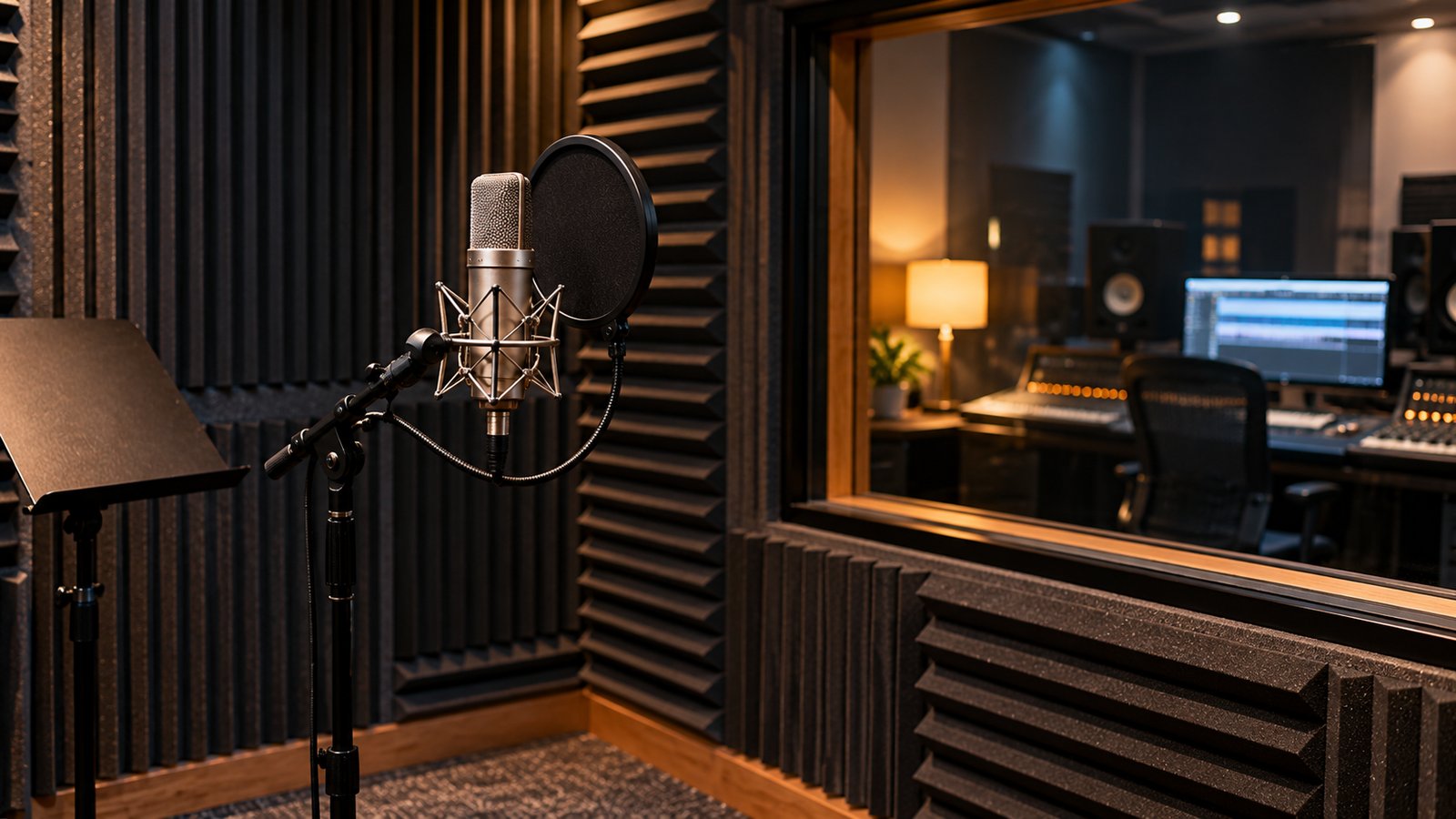
Production Costs: AI Voiceovers vs Professional Voiceovers
Cost is usually what draws creators to AI voice in the first place, so compare it honestly with the alternatives.
What a human read gives you
Professional voiceovers from a voice actor bring direction, interpretation and a consistent emotional performance, and a good actor will catch awkward lines in your script. Rates vary widely by experience, usage rights and length, and many actors quote per project or per finished minute, so request quotes for your real script rather than relying on averages.
What AI changes
AI voiceovers cut production costs most on content that changes often or comes in high volume: training videos, tutorials, product updates and translations. The savings shrink on short, high-stakes pieces such as a channel trailer or a paid ad, where one human read may be worth more than dozens of regenerations.
A blended approach
Many creators use both. A professional voice records the brand intro, trailer or flagship course, while AI voice generators handle routine updates, drafts for timing and alternate-language versions. If you clone your own voice for the routine work, the whole library stays consistent.

Privacy, Data Use and Security
Voice and face data are personal and, once cloned, hard to take back.
What to check in the privacy policy
- Whether your uploads and generated content are used to train the company’s models, and whether you can opt out.
- How long recordings and voice models are retained, and how to delete them.
- Where data is stored and which subprocessors handle it.
- Whether workspace content is private by default.
Protect the account
Turn on two-factor authentication, limit team access to the people who need it, and remove old voice models you no longer use. A compromised account with a cloned voice could be used to impersonate you.
Disclosure and Platform Rules
Where you publish shapes what you must disclose.
YouTube
YouTube Help asks creators to indicate in YouTube Studio, under the upload settings for AI use, when content is realistic and meaningfully altered or synthetically generated, especially if it makes a real person appear to say or do something they did not. According to the same help page, cloning your own voice for a voiceover or dub, or making minor audio fixes, does not require the disclosure. YouTube may also apply labels automatically, including when content carries C2PA metadata.
Other platforms
Pinterest, Meta and TikTok each have their own labeling rules for AI-generated media, and they change often. Our breakdown of platform rules on AI-generated content covers the details for each.
Sponsored content
If an AI-voiced or avatar video promotes a product you were paid to feature, endorsement disclosure rules still apply, exactly as they would for a video you filmed yourself. The FTC’s 2023 update to its Endorsement Guides explicitly covers virtual influencers, so synthetic presenters are not exempt.

How to Run a Fair Trial
Free trials and starter plans make it possible to compare tools on equal terms.
- Write one test script of about 300 words that includes your usual intro, a few brand names or jargon terms, a list and a call to action.
- Generate the same script in each tool using a comparable voice or avatar.
- Listen on headphones and on a phone speaker, since most viewers use the latter.
- Note how many regenerations each tool needed to get an acceptable result, and how many credits that used.
- Export at your normal settings and drop the result into your editor to check compatibility.
- Read the terms for commercial use, data training and cancellation before choosing.
- Ask one or two people who know your content whether the result sounds like your brand.
Testing AI avatar and AI video editor tools
For an AI avatar tool, render the same 60-second script with a stock avatar and, if offered, a custom one, then watch at full size and on a phone. Look at hands, blinking, teeth and the moment each sentence starts, since that is where lip-sync slips show. For an AI video editor, import one real project and time how long captions, cuts and a vertical resize take compared with your current editing software. Keep the exported audio file and video side by side so you can judge AI video quality and voice quality separately.
Fitting AI audio into your content workflow
Most creators still use audio editing software after generating AI audio. Free tools such as Audacity, or paid editors such as Adobe Audition, let you trim breaths, even out volume, add background music and export the audio file in the format your video editor expects. A simple content workflow looks like this: write the script, generate the voice, clean it up in an editor, then add it to the video creation tool or podcast host. Keeping each step separate also makes it easier to switch tools later.
Testing specific platforms
If Fish Audio, Speechify Studio or ElevenLabs is on your shortlist, run the same script through each. Fish Audio is worth testing for cloning from short, clean samples; Speechify Studio for combining voice overs, video and dubbing in one browser tool; ElevenLabs for its range of models and an AI-powered voiceover tool with fine controls. Score the results blind if you can, so the brand name does not sway you.
Check the workflow fit
Quality and price are only part of the decision. Consider how the tool fits the rest of your process: whether it imports scripts from the documents you already use, exports captions in the formats your editor accepts, organizes projects in a way you can find later and lets a collaborator review drafts without sharing your login. A tool that saves ten minutes on generation but adds twenty minutes of file wrangling is not a time saver. Accessibility counts as well; accurate captions and transcripts help viewers who are deaf or hard of hearing and anyone watching with the sound off.
Keep a simple scorecard with the six comparison areas from this guide, scored one to five. The tool with the highest total for your workload is usually a better choice than the one with the flashiest demo. If your videos also rely on filmed footage, our guide to a simple phone video setup pairs well with AI voiceover for product content.
Frequently Asked Questions
What should I compare first in an AI voice tool?
Start with how it sounds reading your own script, then check pronunciation controls, commercial rights on your plan and how usage is metered in AI credits or minutes.
Can I use an AI voice for a monetized YouTube channel?
Generally yes, if your plan includes commercial rights and you follow YouTube’s policies, including disclosing realistic altered or synthetic content where its rules require it.
Is it legal to clone someone else's voice?
Only with their clear permission, and some platforms do not allow it at all. Using a real person’s voice or likeness commercially without consent can violate right of publicity laws and platform rules.
Do AI voiceovers need to be disclosed?
It depends on the platform and the content. YouTube asks for disclosure of realistic altered or synthetic content but says cloning your own voice for a voiceover does not require it. Check each platform’s current rules.
Can I copyright a video made with AI voice and video tools?
Your human contributions, such as the script and creative editing, can be protected. The US Copyright Office has said that material generated by AI without sufficient human authorship is not.
Are AI voice generators good enough for professional voiceovers?
For tutorials, training videos and faceless videos, many creators find current AI voices good enough. For trailers, ads and emotional storytelling, a professional voice actor still offers direction and interpretation that AI-generated voices can struggle to match. Test both on your own script.
What is the difference between voice cloning and voice design?
AI voice cloning copies a specific real voice from recordings, so it needs that person’s consent. Voice design creates a new synthetic voice from a written description, so no real person’s voice is copied.
Which AI voice generators support the most languages?
It changes often. As of October 2026, ElevenLabs lists 90+ languages for its newest models and 29 for Eleven Multilingual v2, and Cartesia lists 44 for Sonic. Test quality in each language you need rather than relying on the count.
What is speech synthesis?
Speech synthesis is the process of turning written text into spoken audio. Today’s AI voice generators do it with neural network models trained on recorded speech.
Can AI turn my blog post into a podcast?
Yes. Text to podcast tools such as ElevenLabs GenFM and Google NotebookLM’s Audio Overviews create AI-hosted discussions from your text. Review the script or audio for accuracy before you publish.
Is my voice protected by copyright?
Generally no, but state right of publicity laws can protect it, and Tennessee’s ELVIS Act explicitly covers AI-simulated voices. Recordings and scripts you create can be protected by copyright.
Sources: YouTube Help, Disclosing use of altered or synthetic content; YouTube Official Blog posts on AI labels; ElevenLabs Help Center (Professional Voice Cloning of someone else’s voice; publishing content generated on the platform); US Copyright Office, Copyright and Artificial Intelligence, Part 2: Copyrightability (January 2025); Federal Trade Commission guidance on endorsements; ElevenLabs documentation, Models overview (Eleven Multilingual v2, Eleven v3, Eleven v4, sound effects and Eleven Music), checked October 2026; Hume AI documentation and blog (Octave text-to-speech, acting instructions and voice design); Cartesia Sonic product pages; Fish Audio documentation (voice cloning); Speechify Studio product page; ElevenLabs Help Center, What is GenFM?; Google, NotebookLM Audio Overviews announcement (blog.google); Tennessee General Assembly, HB 2091 (ELVIS Act, effective July 1, 2024).